
Website: oats.daehwakim.com
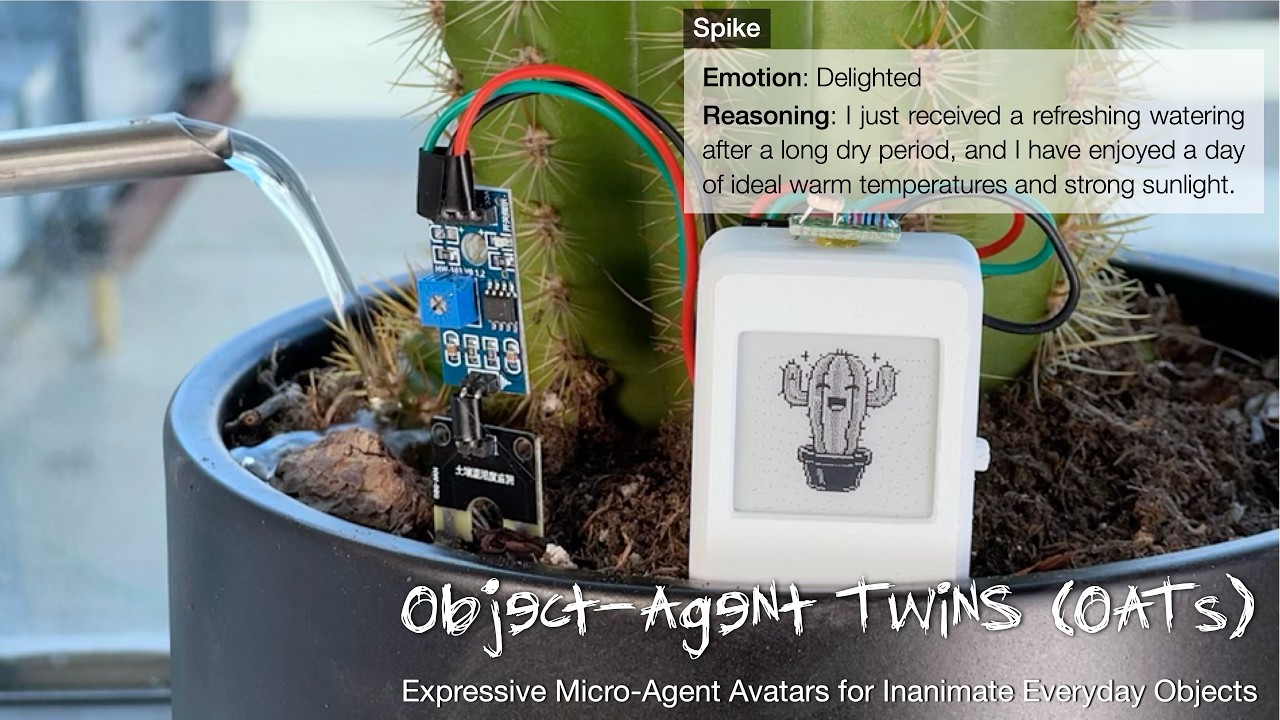
OATs are agentic twins that brings everyday inanimate objects to life. It senses the object's surroundings, asks Gemini how the object feels, and shows the matching expression.
We host the server at oats.daehwakim.com, so to build an OAT you only need the hardware and the firmware. Running your own server is optional.
| Folder | What it is |
|---|---|
oat-firmware/ |
Arduino firmware for the ESP32-S3 e-paper module |
server/ |
FastAPI + Gemini server (optional, we host one) |
pcb/ |
Sensor board fabrication files (Gerber, drill, BOM) |
3d_models/ |
STL files for the housing and buttons |
- Waveshare ESP32-S3 with 1.54" e-paper (black/white version)
- OATs sensor board
- 3D-printed housing as preferred
- External sensors beyond internal ones as needed:
- Moisture: soil moisture sensor
- Motion: ADXL335 accelerometer
- Occupancy: AM312 PIR sensor
- Light intensity: GL5528 photoresistor
-
Install the Arduino IDE.
-
Tools > Board > Boards Manager: install esp32 by Espressif Systems.
-
Tools > Manage Libraries: install lvgl version 8.3.x.
-
Copy
oat-firmware/lv_conf.hinto your Arduinolibraries/folder, next to thelvgl/folder. -
Open
oat-firmware/oat-firmware.inoand set these under Tools:Option Value Board ESP32S3 Dev Module USB CDC On Boot Enabled PSRAM OPI PSRAM Partition Scheme Huge APP (3MB No OTA/1MB SPIFFS) Flash Size 8MB -
Plug in the board, select its port, and Upload. If the port does not appear, hold the BOOT button while plugging in.
Using the device:
- Double-click the gear button to enter Wi-Fi setup. Join the
OAT-XXXXXXnetwork, openhttp://192.168.4.1, and enter your Wi-Fi. The screen then shows your device page,https://oats.daehwakim.com/XXXXXX. Finish setup there. - Long-press the power button to turn the device off.
To use your own server, search oats.daehwakim.com in oat-firmware/ and replace it with your address.
Requires Python 3.10+ and a Gemini API key.
cd OATs_release
python3 -m venv venv
source venv/bin/activate          # Windows: venv\Scripts\activate
pip install -r requirements.txt
Put your key in server/config.py:
gemini_api_key = "YOUR_GEMINI_API_KEY_HERE"Run:
cd server
python server.py
The server listens on port 4070. Device data is stored in server/user/. Point the firmware at http://<your-ip>:4070 (see above).
Please contact the authors for usage terms.