
A Wayland clipboard history: the library, hyprforge-clipd, the
daemon that watches the compositor and records what is worth keeping,
and hyprforge-clipmenu, the popup that shows the history at the
pointer and pastes what you pick.
Part of Hyprforge, a suite of native Hyprland desktop apps — but it runs alone. Installing this gets you a clipboard daemon and its popup and nothing else: no settings app, no tray, no Hyprland config machinery.
A clipboard manager writes a history to disk. A password manager puts your password on the clipboard. Without care, using both means your vault ends up in a file in your home directory and neither program ever mentions it.
So sensitivity is checked before an offer's bytes are ever requested.
A secret is not read, not hashed, not stored and not logged — the check
happens early enough that the content never enters this process at all.
Debug on an entry renders a description rather than the content, for
the same reason.
- The library — the read side, the write side, and paste synthesis,
over
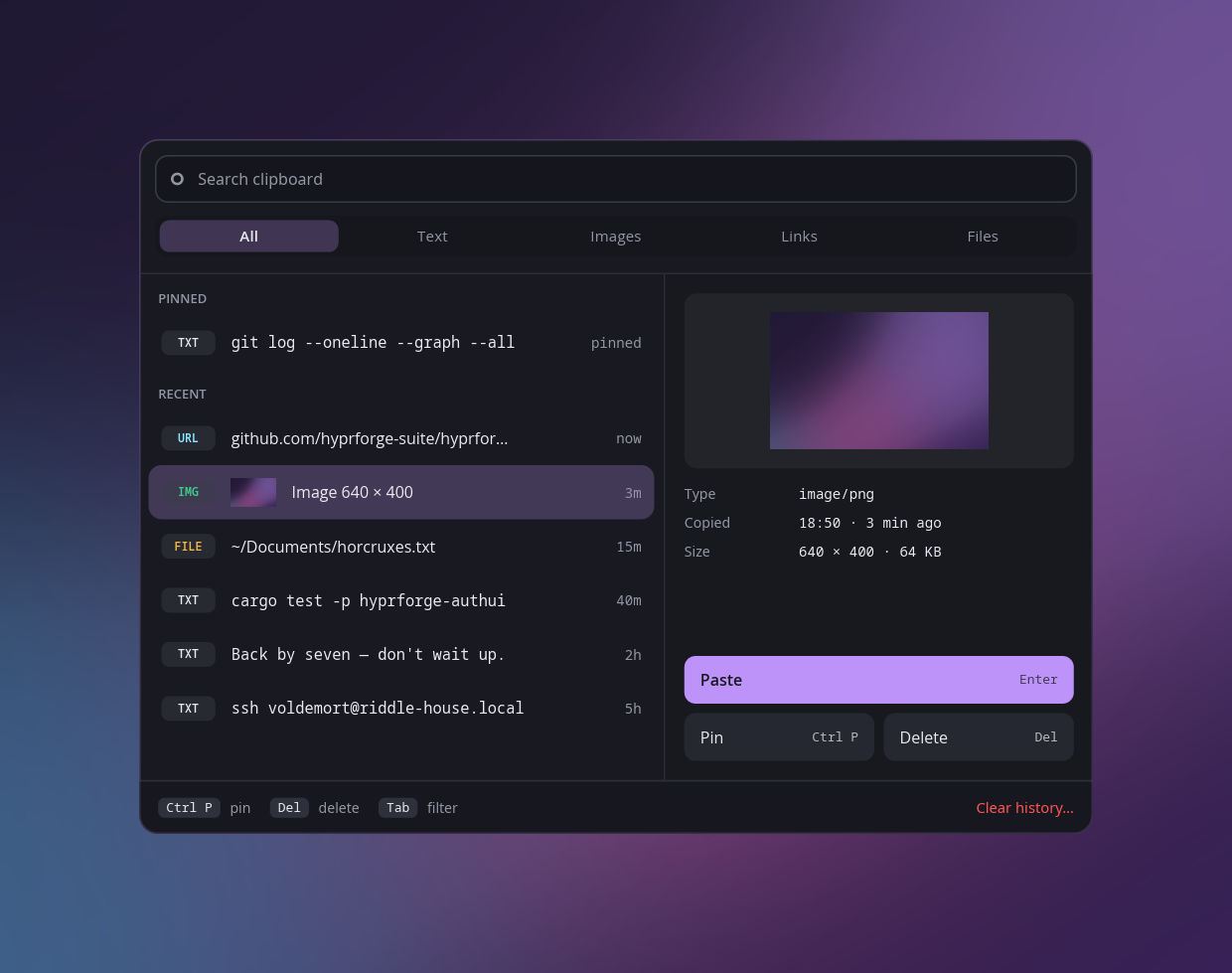
wlr-data-controlandext-data-control. It knows nothing about a popup or about any particular consumer of a history. hyprforge-clipd(src/bin/clipd.rs) — the daemon, and the only process that ever writes the history file.hyprforge-clipmenu(src/bin/clipmenu/) — the popup a keybind opens: search, filter tabs, pinned and recent entries, a preview, and paste into whatever had focus. It is in this repository because a binary cannot be fetched as a dependency the way a library can.
The popup reads the index and the image directory directly, but it never
writes them. Two writers racing on one index file is a problem that
atomic writes cannot solve on their own — last write wins either way —
so there is only ever one writer. A pin, a delete or a repeat paste is a
request to the daemon over a Unix socket at
$XDG_RUNTIME_DIR/clipd.sock (src/ipc.rs has the protocol); the
daemon decides and saves. The daemon also holds the chosen entry on the
clipboard, because on Wayland the selection dies with whoever set it and
the popup exits the moment you pick.
cargo build --release
It depends on six other Hyprforge crates — hyprforge-paths and
hyprforge-secret for the library, and hyprforge-popup,
hyprforge-appearance, hyprforge-look and hyprforge-process for the
popup — published on crates.io,
so cargo fetches them from there and never needs the main repository. Nothing else here is Hyprforge-specific.
packaging/hyprforge-clipd.service is a user unit:
systemctl --user enable --now hyprforge-clipd
That is the manual route. The Arch package enables it for every user
when it is installed, through a systemd preset. With Hyprforge Settings
installed, its Set up page (or hyprforge-settings --setup) enables
the service and binds hyprforge-clipmenu to a key, and can undo both.
Restart=always rather than on-failure is deliberate — a clean exit
that stops recording is exactly as bad as a crash, and shows up as no
failed unit at all.
.github/workflows/ci.yml builds the crate, runs clippy with warnings
denied, and runs cargo test. That is tier 1 only: the live Wayland
tests in tests/live_clipboard.rs and the pipe test in
src/wayland/pipe.rs are #[ignore]d because they need a real
compositor speaking wlr-data-control / ext-data-control, and no runner
has one. A green run means the code is internally consistent, not that
it agrees with a real compositor — run those --ignored tests by hand
against one before trusting a change to the Wayland glue.
MIT. See LICENSE.